
It's all about the job.
Every job in BOS has the same row of tabs. Here is what each one does — then what runs the company behind them. No modules to buy. $199 a month. Unlimited jobs, unlimited users, no contracts.
Inside every job.
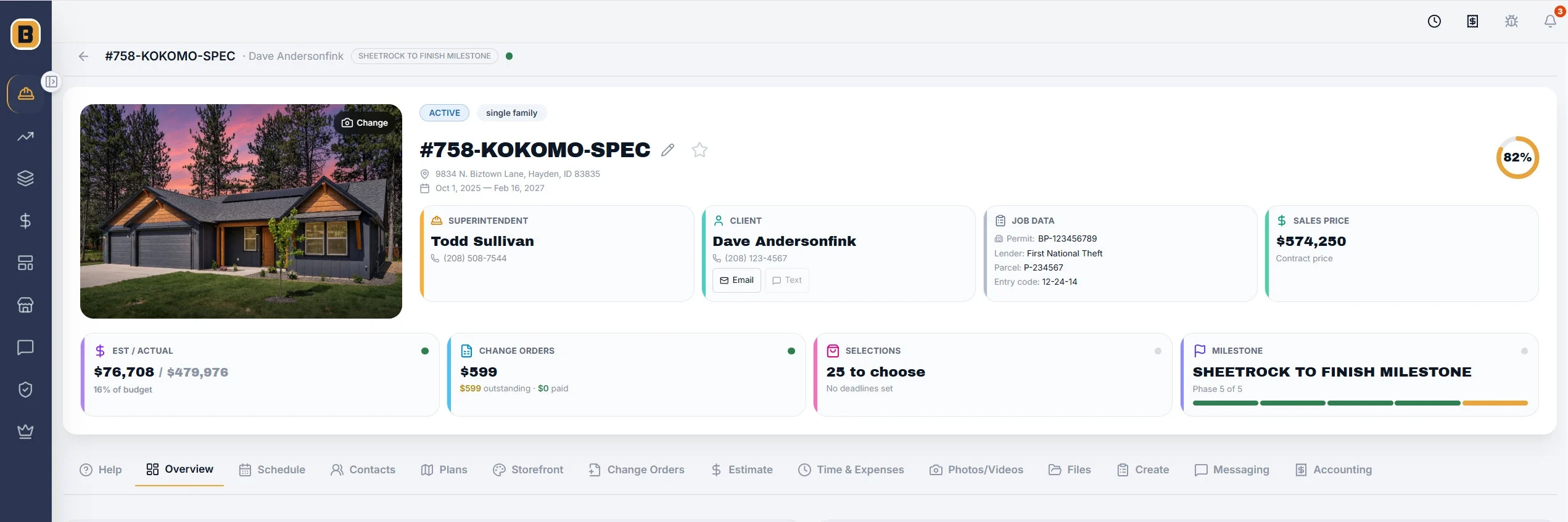
- Overview
- Open a job and the answers are on one screen — client, contract price, addresses, permit and lender numbers, change orders, open selections, the map and the weather.
- Schedule
- Six ways to see one schedule — task list, Gantt, Kanban, network, calendar and baselines. Every task carries planned vs actual, what it waits on, what waits on it, resources, files and notes.
- Contacts
- Everyone on the job in one place — client, subs, vendors, lender, inspector — and what each of them can see.
- Plans
- Nobody builds off an old sheet: original plans, redlines, change-order plans and takeoffs live together.
- Storefront
- Your client picks finishes and upgrades from your catalog, and every pick flows into change orders and the job's money.
- Change Orders
- Priced, marked up, taxed and signed by the client online — with your payment instructions printed on it.
- Estimate
- Estimate, margin placement, requests for bids, purchase orders and estimate vs actual — one set of numbers from bid to closeout.
- Time & Expenses
- Hours, breaks, mileage and equipment time from the field, approved and costed to the job.
- Photos & Videos
- Taken on site, filed under the phase the job was in, and shared with your client only when you approve them.
- Files
- Every document on the job, in the same folders on every job.
- Create
- Contracts, addenda, lien documents and descriptions of materials — from BOS templates or your own.
- Messaging
- Email with your client, subs and vendors, kept on the job it belongs to.
- Accounting
- Every vendor invoice approved, coded, taxed and noted — feeding estimate vs actual as it happens.
The schedule
Built to be run from a phone. Move one task and everything that waits on it moves with it. Keep a baseline and see exactly where the job slipped.
Job Start slides a whole schedule to a new start date. Eagle View shows every job's schedule on one screen, so you see where crews collide before they do.
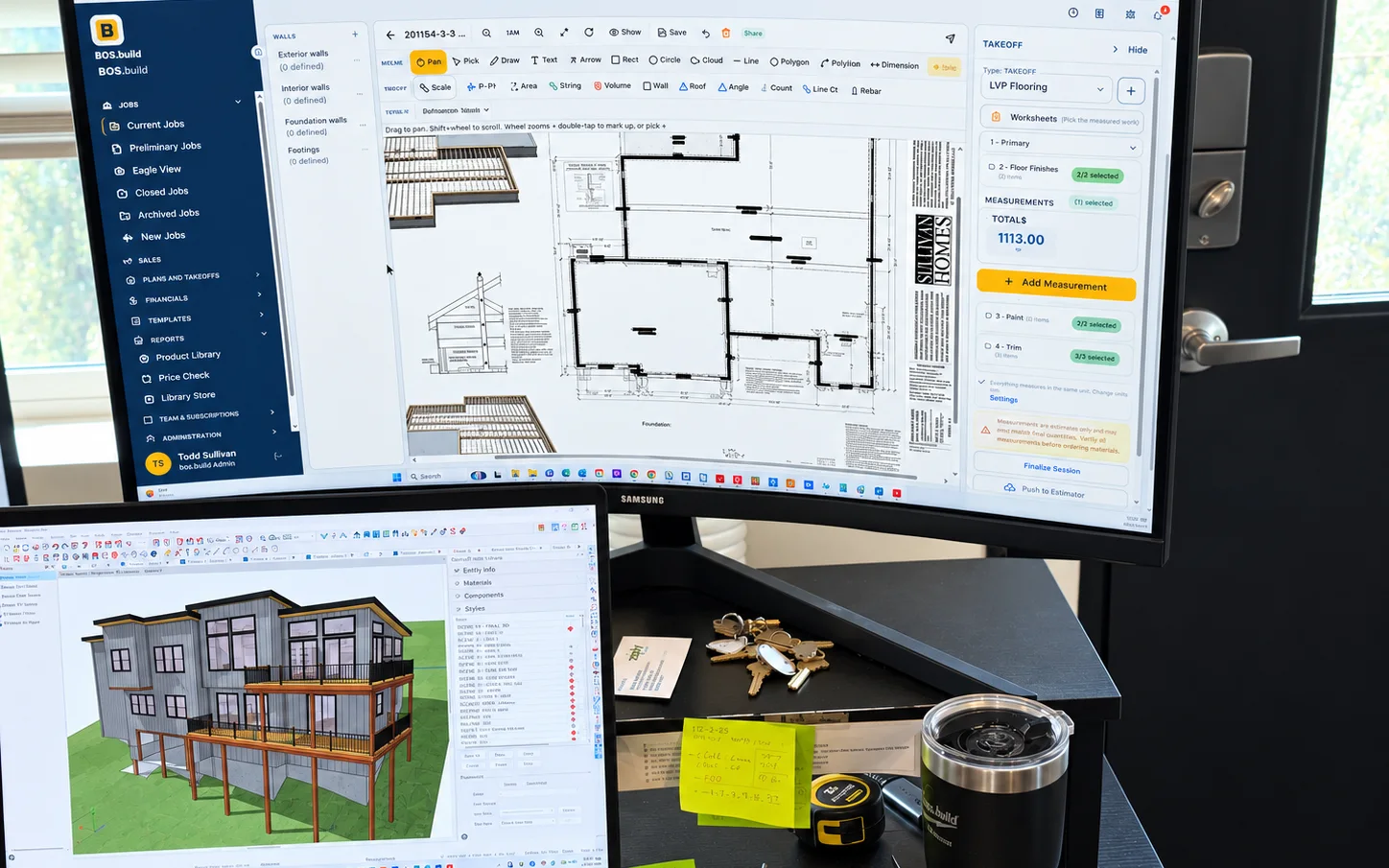
Plans and takeoffs
Scale a sheet from a known dimension, then measure walls, roofs, volumes, angles, counts and rebar. Redline changes with your team and overlay one floor on another.
Assemblies turn a foundation wall into concrete, rebar, J-hooks and form board in one pass, and Cost Book items price the quantity and the labor. Every takeoff lands on a worksheet for review before it touches the estimate.
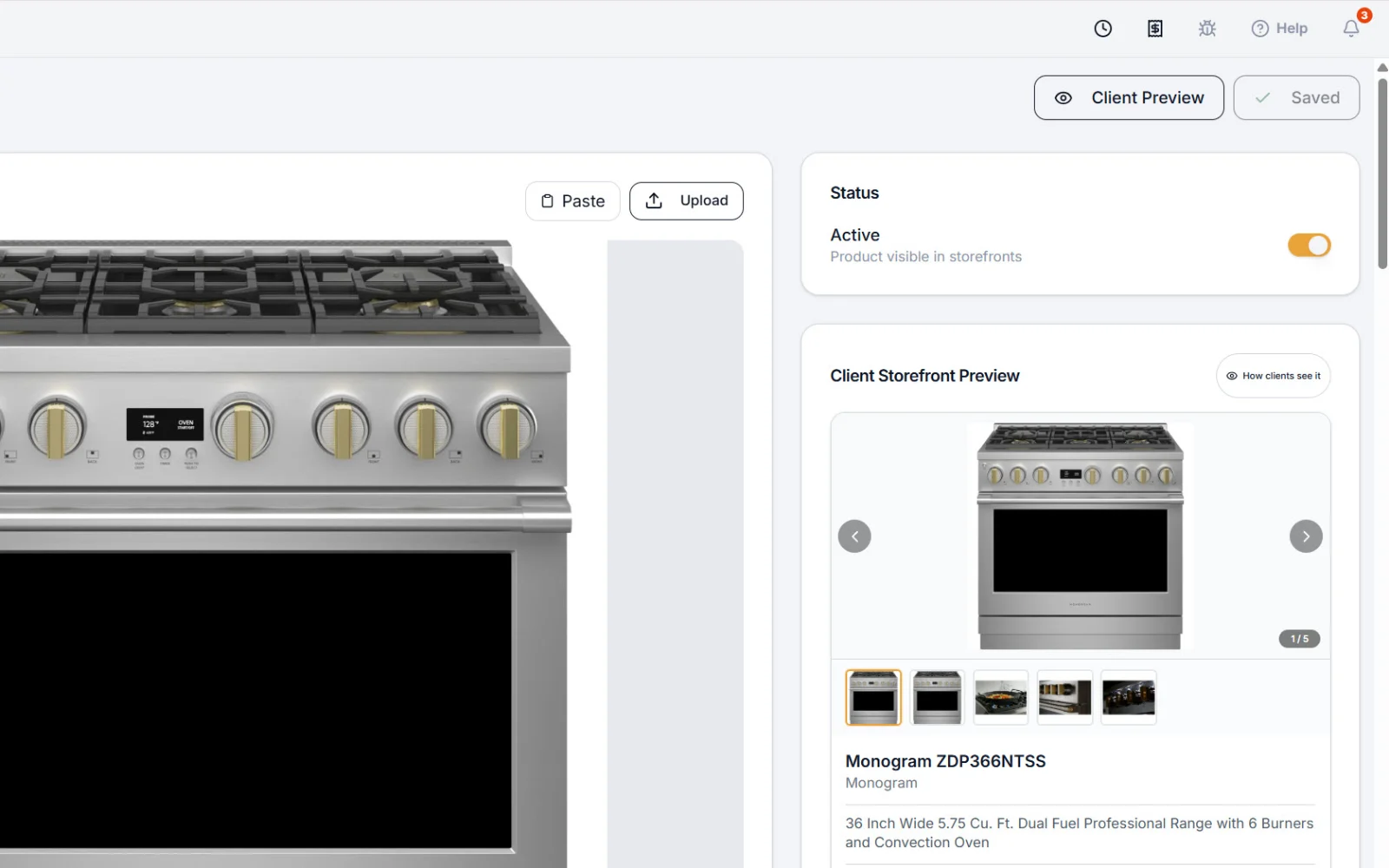
The Storefront
Build your own, or start from the BOS Storefront in the Library Store. Every item carries photos, warranty, manuals, pricing, your standards — and a preview of exactly what your client will see.
Your client's picks flow into change orders, estimate vs actual and your margin, and the same catalog becomes a brochure you can hand them.
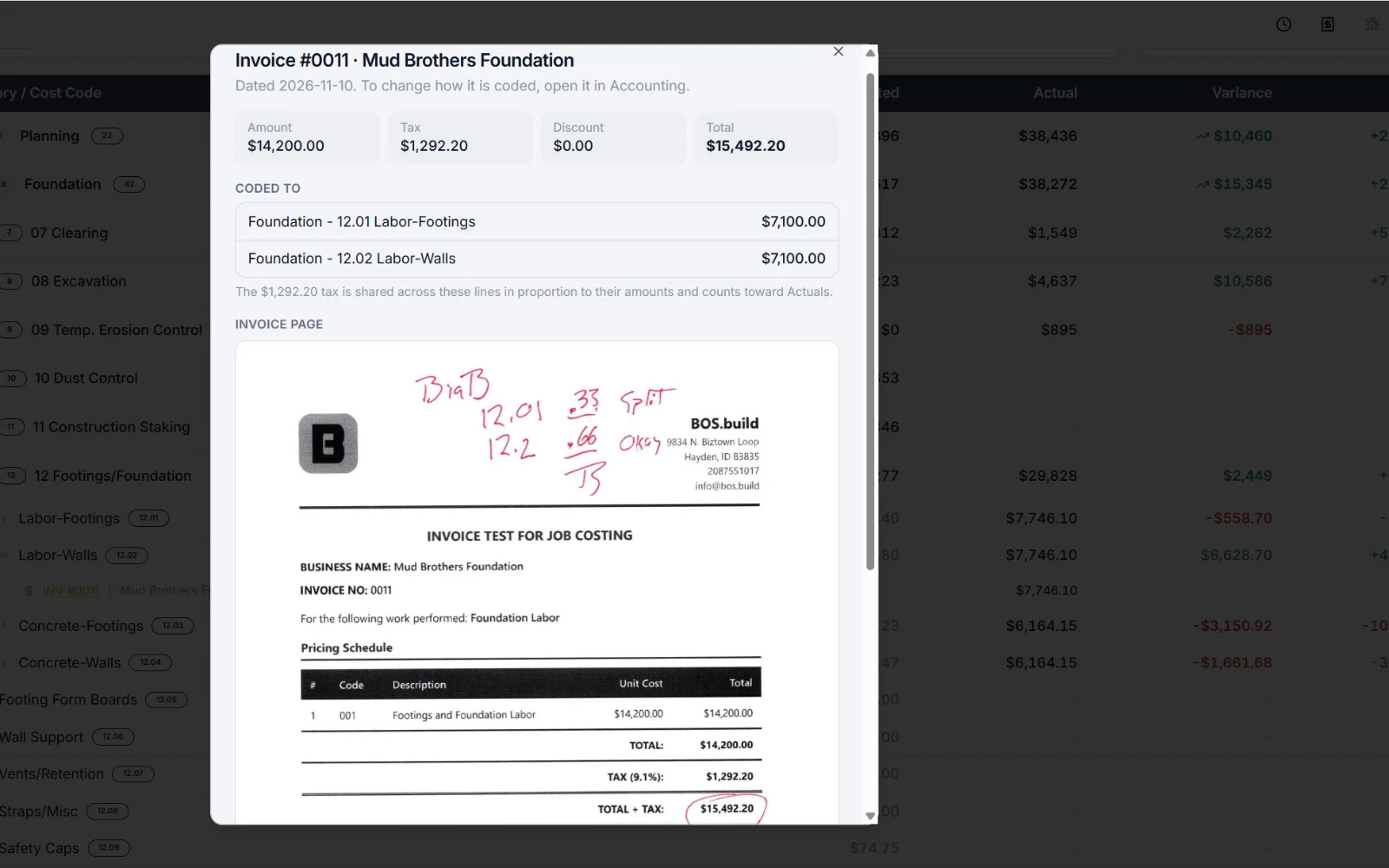
The money, connected
Estimate, margin and contract price. Purchase orders and work orders commit dollars against the estimate. Vendor invoices are coded to the estimate line and taxed the way you actually paid them.
Budget vs actual, variance reports and bank draw sheets all read the same numbers — so what goes to the lender matches what you bid.
Running the company.
Administration sets BOS up once. After that it runs quietly behind the jobs.
Jobs and Eagle View
Current, preliminary, closed and archived jobs, your favorites up top — and Eagle View, every job's schedule on one screen.
Sales
Leads tracked from the first call to the signed contract.
Cost Book and Assemblies
Your cost codes, prices and assemblies behind every takeoff and estimate, with a plan library beside them.
Financial
Budget vs actual, payables, variance reports, time and expenses — across every job.
Templates
Documents, spreadsheets, folder structures and a document repository — build your paperwork once and use it on every job.
Team and administration
Your team, messages and notifications; roles and permissions down to who sees the money; company settings; the QuickBooks connection; and a bug report button on every screen.
QuickBooks: coded vendor invoices go across as Bills, the job named on every line, one press at a time. Text messaging is coming once carrier approval comes through.
Already in there on day one.
- 261 cost codes from a working homebuilder, already sorted into sections
- 6 estimate templates — new homes, remodels, additions, and NAHB and CSI layouts
- 5 schedule templates — single-family, custom, design-build, multi-family and commercial
- Contracts, change order, invoice, punch list and daily report templates
- The BOS Storefront, ready to bring in from the Library Store
- A folder structure on every job, and standard roles for your team